
Outagamie County Arrests in the Last 24 Hours
The county's official same-day source is the Recent Bookings Media Report. It covers adults booked during the past day. Outagamie refreshes it daily around 6:00 a.m. The window is fixed. A booking made after the file is generated waits for the next edition, though the current inmate list may update sooner. Technical support runs during county IT hours, 7:30 a.m. to 4:30 p.m. Restart the browser if results look stale. Unresolved problems go to SheriffIT@outagamie.org. The county says "every day," with no promise of weekend or holiday repair.
Verify timing: note the PDF generation time and date range. Treat it as a fixed edition, not a feed covering an arrest made later that day.
The official page displays the same-day publication terms.
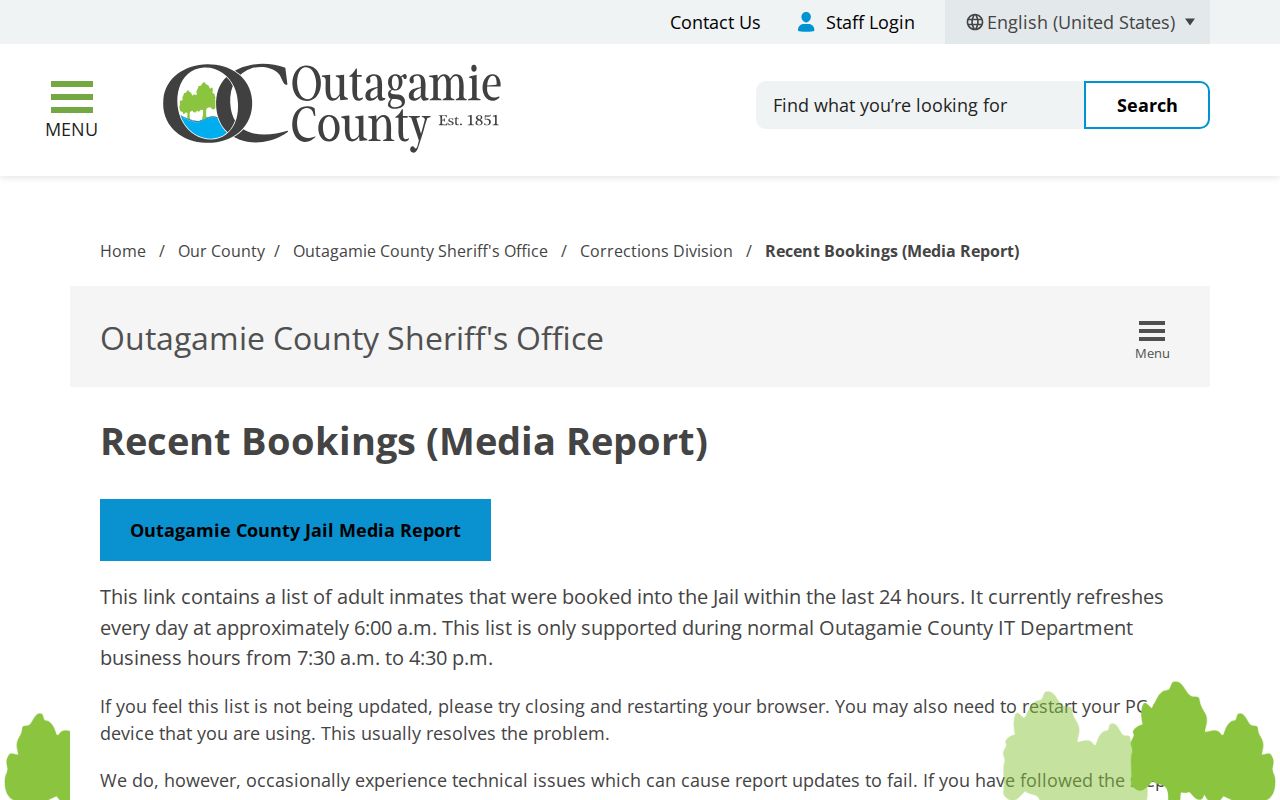
This capture shows the county's own description of the booking window and update schedule.
How to Check Who Was Arrested Today
Open the report landing page itself. Search engines often link an old PDF copy instead. The file is the Jail Media Report, and its header shows the generation time plus the covered date range. Those two values define "last 24 hours" for that edition.
- Open the county landing page and follow its current report link.
- Read the generation time and beginning and ending dates before searching a name.
- Compare name, date of birth, city, agency, arrest type, and court case where available.
- Check the current inmate list when present custody matters or the booking may be newer than the report.
- Call 920-832-5605, option 2, or make a focused records request when a specific arrest remains unclear.
Several routes feed the report: Appleton Police, Grand Chute Police, sheriff corrections, probation and parole, writ, and other-hold entries. The agency and arrest type explain the route. Not every row is a fresh street arrest.
What the 24-Hour View Shows
The report is text based, with no booking-photo column. Its detail holds up only while each field stays tied to its date and source.
| Field | How to read it |
|---|---|
| Date and time | The custody event within the stated report window. |
| Name and date of birth | Identity details; compare carefully and avoid needless republication. |
| City, state, and location | Geographic and custody context, not proof of residence. |
| Agency and officer | The listed booking or arresting pathway. |
| Statute and offense | The charge or classification at booking. |
| Bail or bond | The status recorded when the report was generated. |
| Court case | A key for later WCCA follow-through. |
| Arrest type and release data | Context such as on-view, writ, hold, or custody change. |
A charge label can change after prosecutor review. A release indicator is a custody snapshot, nothing more.
If There Is No Same-Day View Online
Outagamie has a same-day report, but it can lag a fresh arrest or hit a technical snag. The first fallback is the current inmate list. The county says it refreshes every 30 minutes, though it shows present adult custody rather than the full daily booking window.
The sheriff records line answers booking questions at 920-832-5605, option 2. Older, disputed, or photo-specific records need an open-records request. Name the person, time, agency, and document. Printing costs $0.25 per page, with no guaranteed response time or photo fee. Custody alerts run through the VINELink Custody Check. The Police Blotter explains why no official multi-day county archive fills the gap. Bond and release context sits on the corrections page.
Release processing can change roster presence without deciding the criminal case.
Arrested Is Not Guilty
A booking entry records what the jail logged at arrest. That is only half the record. Once a case is filed, Wisconsin Circuit Court Access shows the court side. Match the court number with the booking record. Bond amounts and release dates answer custody questions. A name can leave the current list the day someone is released. The case itself keeps moving. Jail status and court status are two separate records, so check both.